

Fast till
A calm, touch-friendly till: search by name or code, variants and add-ons in one compact chooser, and item names shown in full — never cut off.
Features
Every feature below exists in the real AsanTech POS product. Nothing on this page is a mock-up or a roadmap promise presented as live.
A calm, touch-friendly till: search by name or code, variants and add-ons in one compact chooser, and item names shown in full — never cut off.
Indoor, family and outdoor tables with transfer, merge and split. Kitchen tickets go to the right section, and paper mode keeps service moving when there is no kitchen screen.
Waiters take orders from the table on phone or tablet. Orders reach the kitchen first; payment stays with the cashier, exactly as the owner defined it.
Delivery orders, rider assignment and a rider board, so takeaway and delivery do not get mixed into dine-in service.
Ingredients, recipes and section stock. Every paid sale deducts the recipe and shows its food cost — so margins are real numbers, not guesses.
Customer records with phone, owner khata and staff self-orders, loyalty points, and coupons that are re-checked against the cart before they apply.
Double-entry journals, expenses, and an owner P&L — sales minus food cost, expenses and salaries — with money figures visible only to owner and accountant.
Staff profiles, attendance, leave, salary sheets and printable salary slips, with every deduction shown line by line with its reason.
Daily sales, day close / Z-report, stock and section reports. Figures reconcile to the paisa, and a pending bill never counts as a sale until it is paid.
Tax profiles (including tax-inclusive pricing), FBR invoice numbers stored on paid receipts, and receipts that print exactly what was charged.
An online storefront per restaurant with mandatory delivery location, so online orders arrive with everything the rider needs.
A full backup download plus per-module export and import, with a safety backup taken before any restore. Passwords and PINs never leave the server in a backup file.
Branches, sections and godowns under one platform, with each tenant's data isolated from every other tenant.
Owner, supervisor, cashier, waiter, kitchen, rider, purchaser, accountant and section staff each see only what their role is allowed to see — enforced on the server, not just hidden on screen.
Receipts and kitchen slips print on the printer the business already owns — thermal slip printers of any brand — with silent routing where the till PC supports it.
See it in action
These are real screenshots from our demo restaurant. What you see here is what your staff will actually use.
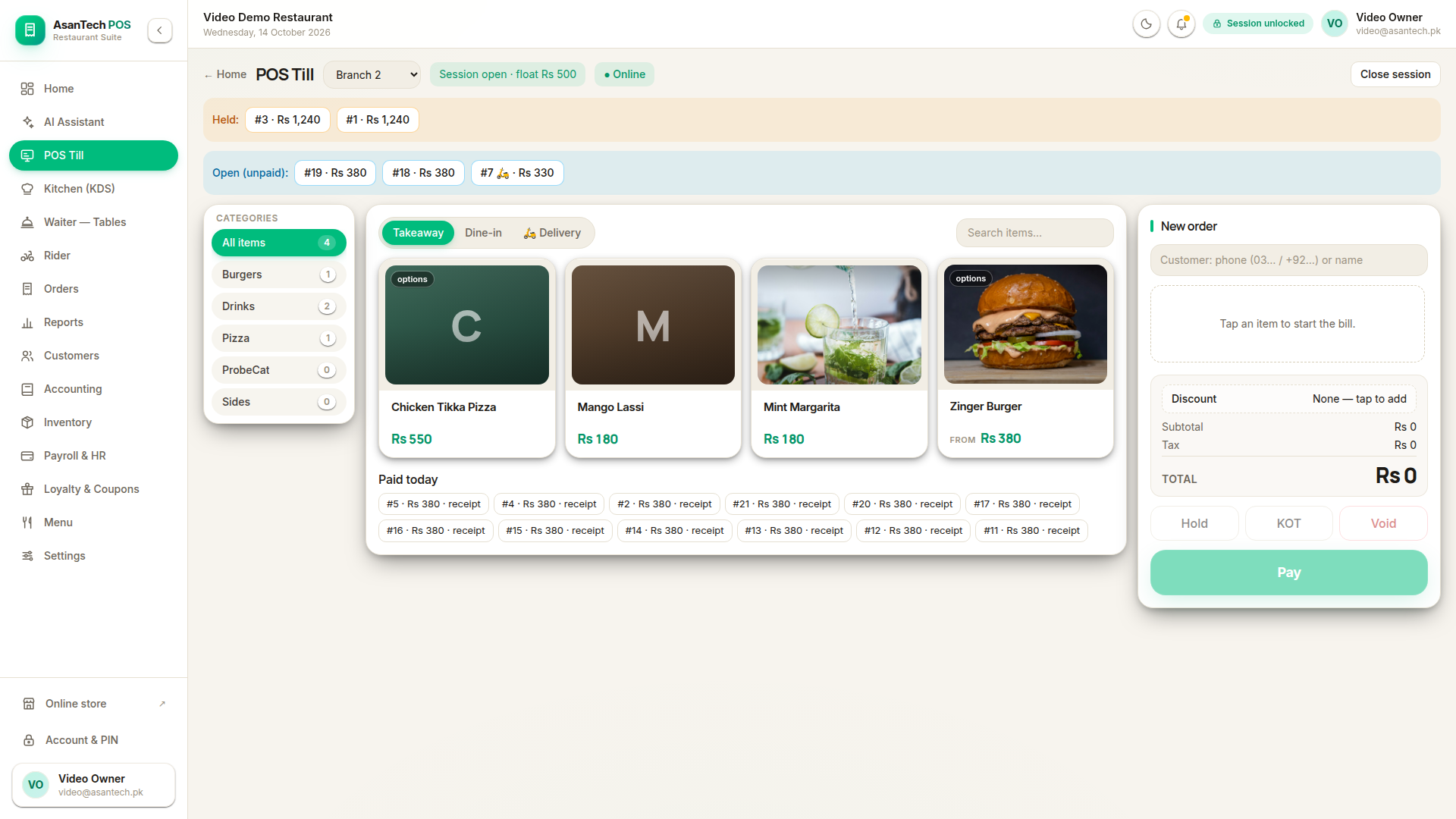
POS Till — light
Photo tiles, full item names, held and open bills, and paid-today receipts on one calm screen.
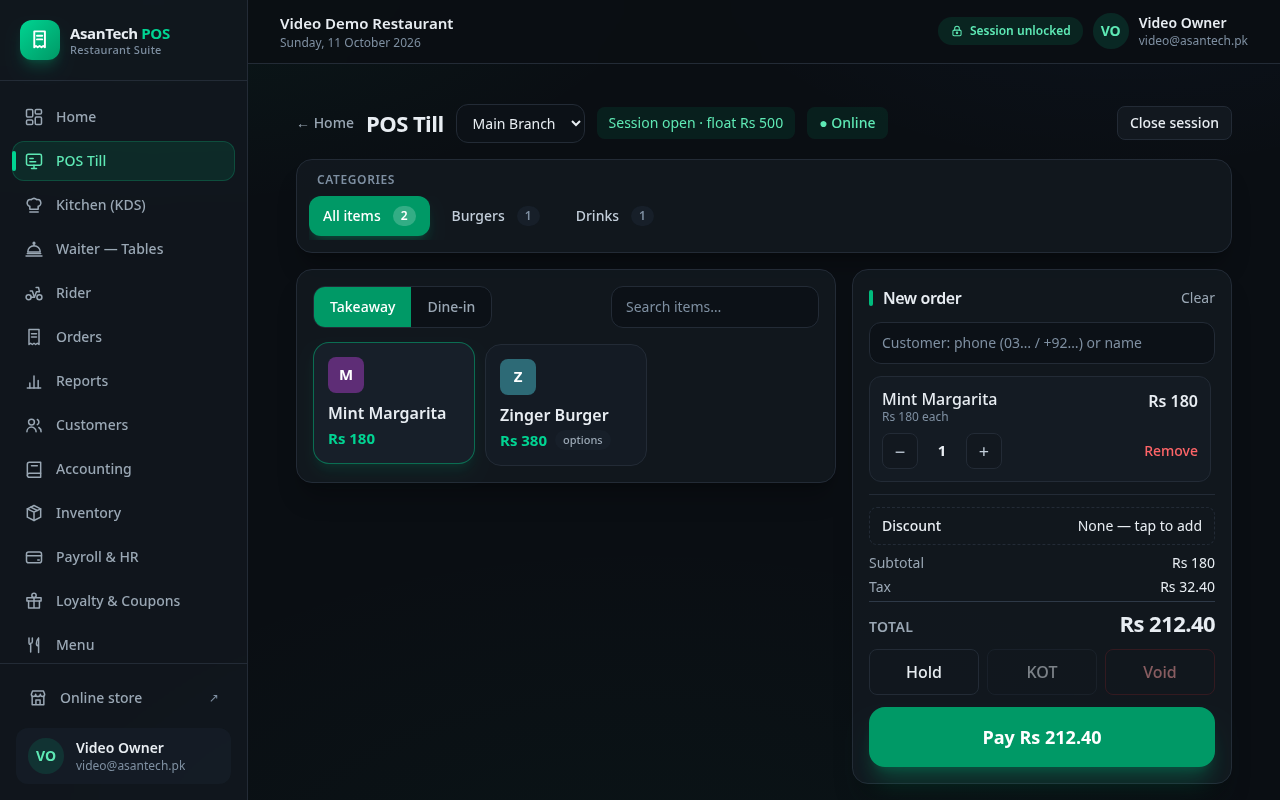
POS Till — dark, with a live order
A real order on the till: Mint Margarita, tax shown, total Rs 212.40, ready to pay.
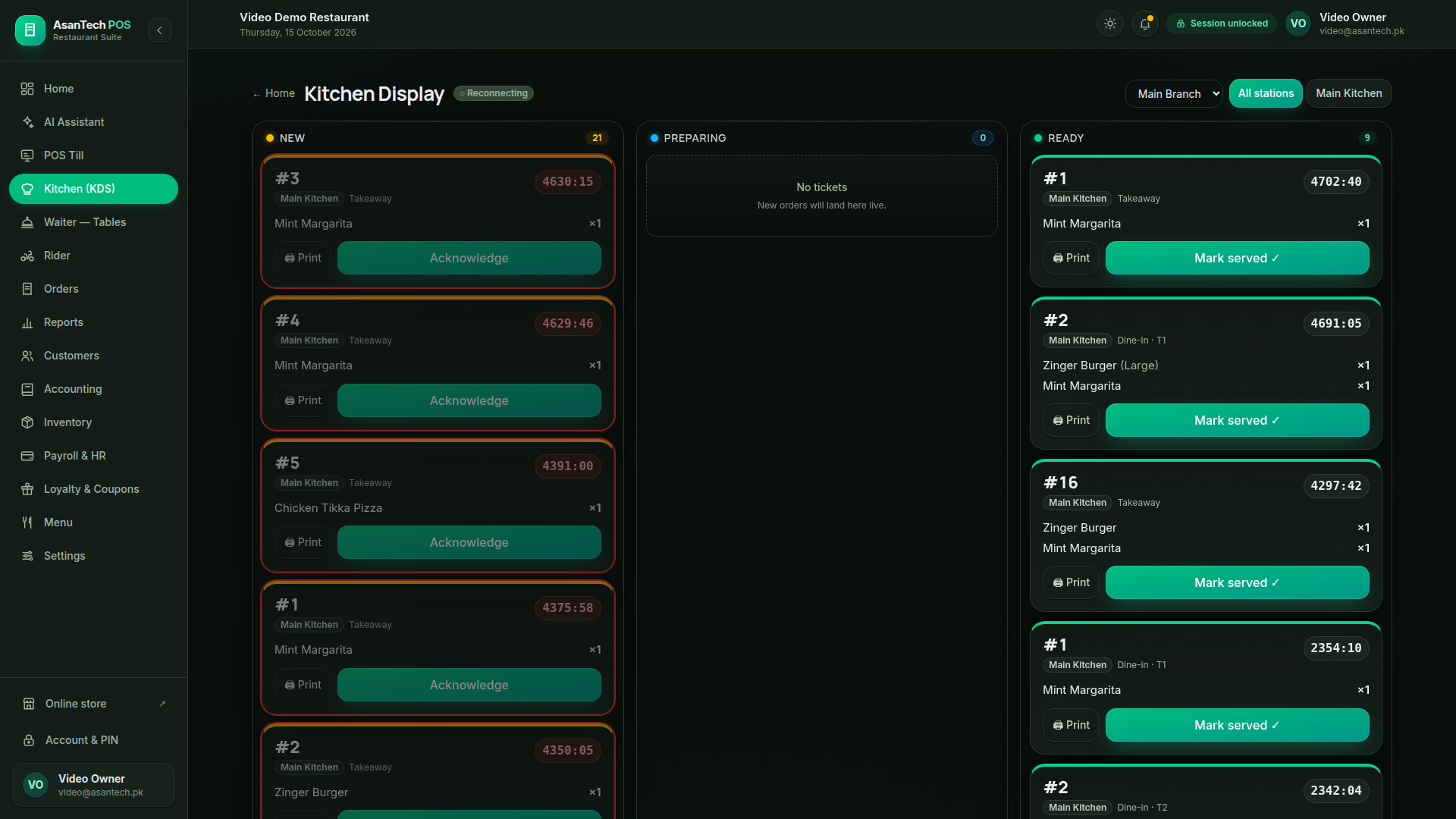
Kitchen Display (KDS)
Live tickets by section — New, Preparing, Ready — with timers, acknowledge and mark-served.
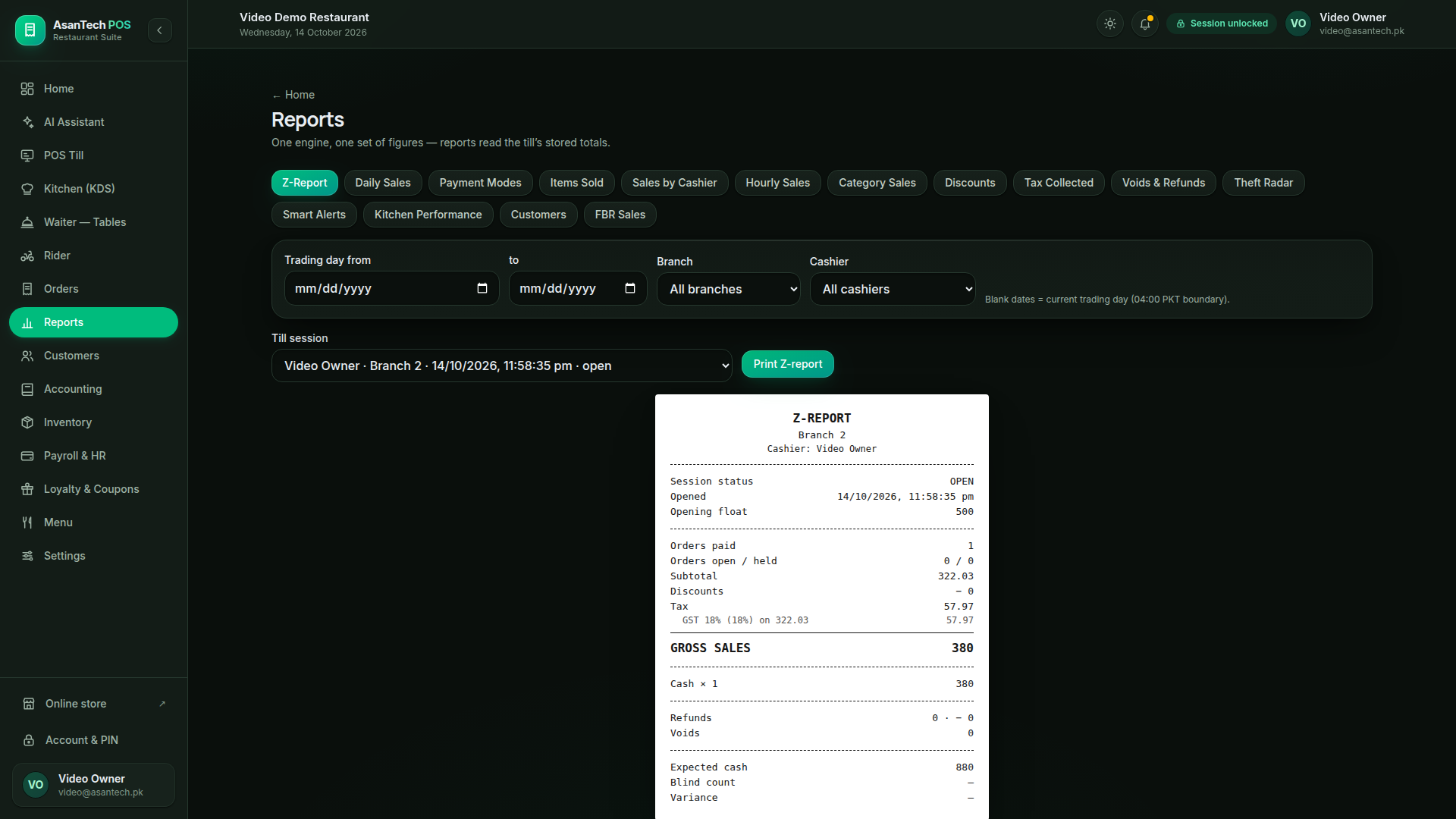
Reports — Z-Report
Day close that reconciles to the paisa: gross sales, tax, cash expected, variance shown honestly.
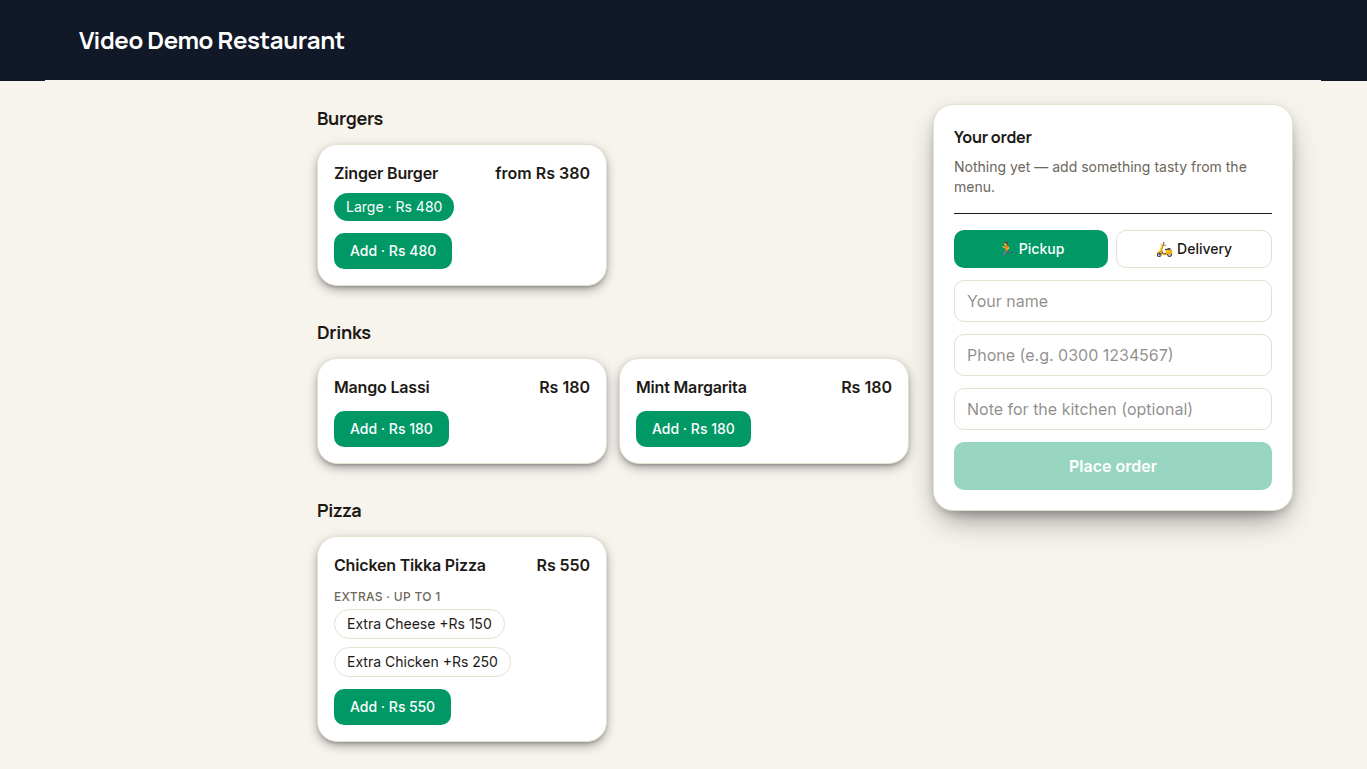
Online storefront
Customers order online for pickup or delivery — name, phone and kitchen note included.
Real screenshots from our demo restaurant — Video Demo Restaurant, demo data only. Captured October 2026; the live product keeps improving and may look newer.
Request a demo. We set up your menu or catalogue, train your staff in short steps, and you go live when your own screen is ready.